How to export ticket images as ZIP
ScanTicket allows you to export all your receipt images into a single ZIP file, perfect for archiving your records or sending them to your accountant.
Export images as ZIP
This feature lets you download all your receipt photos for a given year in a compressed file.
Step 1: Open the Options menu
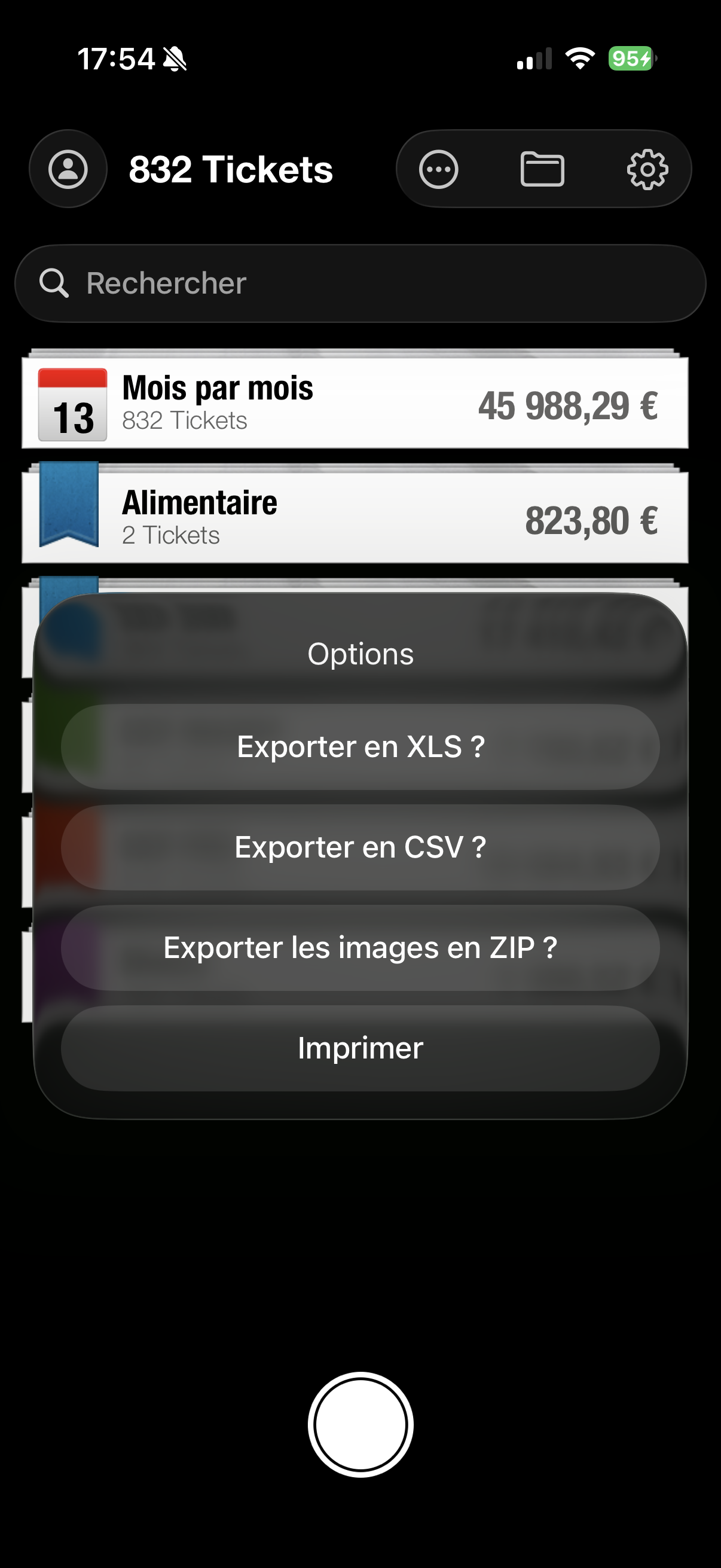
From the main screen of the app, tap the "..." (three dots) button at the top of the screen. In the menu that appears, select "Export images as ZIP".
Step 2: Select the year
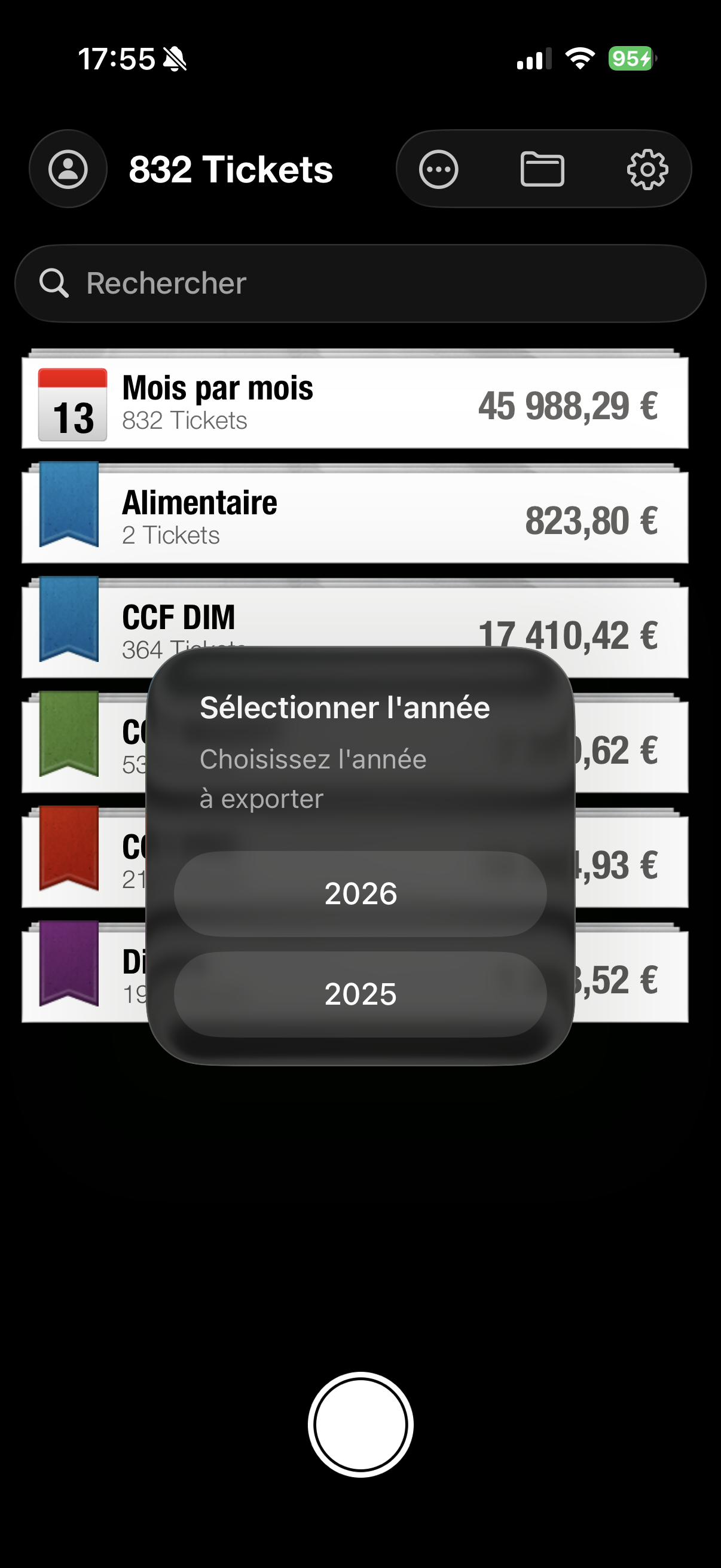
A window opens allowing you to choose the year to export. Select the desired year (for example 2025 or 2026).
Step 3: Confirm the export
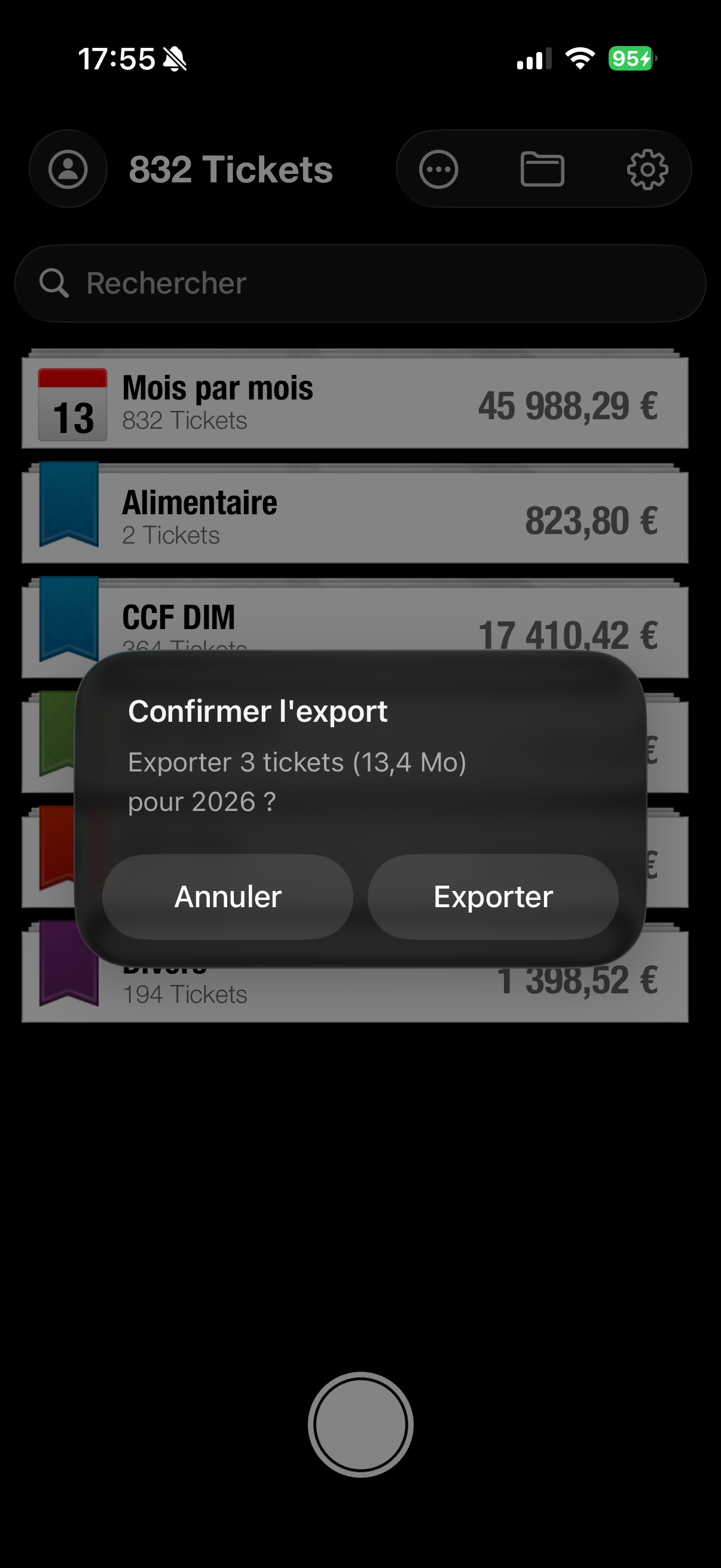
The app shows you a summary with the number of tickets and the ZIP file size. Tap "Export" to start the download.
Step 4: Share the file
Once the ZIP file is generated, you can share it via email, AirDrop, or save it to your cloud storage (Dropbox, Google Drive, iCloud).
Tips for your accounting
- Annual export: Export your images at the end of the year to archive all your receipts
- Cloud backup: Send the ZIP file to your cloud for secure backup
- Combine with XLS: Use this feature along with XLS export to provide your accountant with both data AND images